Learn how to build a WordPress REST API to Laravel SaaS bridge with event-driven webhooks, OAuth2/JWT auth, and zero-downtime data sync.
 by Rizwan
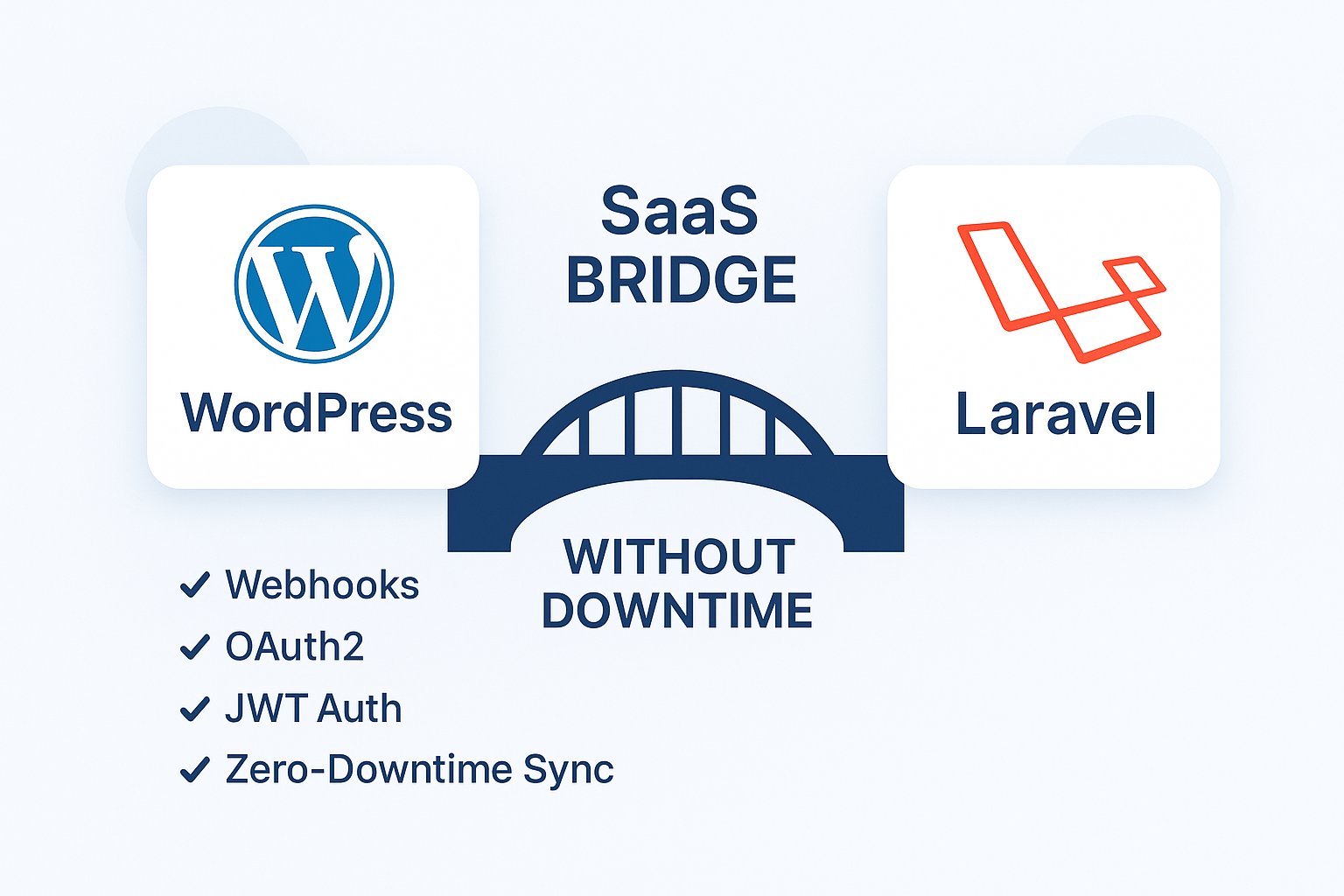
Most bridges start as “just sync users and content.” Then traffic spikes, retries multiply, and data drifts between systems. The root cause is usually missing contract design: unclear API versioning, weak auth, no idempotency keys, and synchronous processing that blocks requests.
A production-grade bridge needs an event-driven architecture with Laravel webhooks, queue workers, and deterministic sync pipelines. The goal is simple: move data reliably while keeping your SaaS available and your WordPress site stable.
Zero-downtime deployments are not only about server restarts. For a bridge, it means you can change sync logic, payload schemas, and database migrations without breaking in-flight events. You do this by versioning APIs, using backward-compatible payloads, and running background jobs with controlled rollout.
Use WordPress as the source of truth for content and identity attributes that originate there, and use Laravel as the source of truth for SaaS-specific state (plans, entitlements, tenant settings). The bridge should translate events into normalized records in your SaaS database.
At a high level:
Prefer push for change notifications (webhooks) and pull for reconciliation (scheduled sync). Push reduces latency; pull protects you from missed events, webhook delivery failures, and edge cases like bulk imports.
For content, you typically push “entity changed” events and let Laravel fetch full details via the WordPress REST API. For identity, you can push minimal identity deltas and fetch authoritative fields on demand.
Webhooks are the first trust boundary. If you accept unauthenticated requests, you will eventually ingest forged events and corrupt tenant data. If you authenticate incorrectly, you will break delivery during rotations.
When Laravel needs to call the WordPress REST API, implement OAuth2 client credentials or authorization-code flow depending on your WordPress setup. The key is to issue short-lived access tokens and rotate refresh credentials without downtime.
In practice:
For SaaS endpoints (and optionally for webhook verification), use JWT authentication with strict validation: issuer, audience, signature algorithm, and expiration. For webhook verification, you can use a shared secret HMAC or JWT; JWT is useful when you want consistent claims across services.
Common mistake: accepting “any valid JWT” without checking claims. Always validate the tenant context claim (or derive tenant from the webhook route) and enforce expiration windows.
Your webhook payload is a contract. Treat it like an API. Add explicit schema versioning and make payloads backward-compatible for at least one release cycle.
Use URL-based or header-based API versioning for webhook endpoints and for any internal REST calls. Example: /webhooks/wordpress/v1/content-updated. When you add fields, keep v1 working and introduce v2 only when you must change semantics.
Webhook delivery is at-least-once. Retries, network timeouts, and WordPress replays will produce duplicates. Use idempotency keys to ensure each event is applied once per entity.
A robust idempotency key strategy:
Webhook handlers must be fast. Do not fetch large payloads or run heavy logic inside the HTTP request. Instead, validate, persist, and enqueue.
Phase 1: ingestion. Phase 2: processing. This separation is what enables zero-downtime deployments and safe retries.
Configure queue workers and background jobs with concurrency limits per tenant to avoid noisy-neighbor effects. For example, cap content update processing for a tenant while allowing identity events to proceed.
Also implement retry policies that distinguish transient failures (timeouts, 429 rate limiting) from permanent failures (schema mismatch, missing entity).
Bridges fail when mapping is implicit. Define explicit mapping rules for each entity type: users, posts, pages, taxonomies, and media references. Then normalize them into SaaS tables keyed by tenant and external IDs.
A sync pipeline should be repeatable. Given the same WordPress state and the same event, it should produce the same SaaS result. Determinism reduces drift and makes reconciliation reliable.
Recommended mapping approach:
For deletions, decide whether you soft-delete in SaaS or mark records as inactive. For updates, ensure you update only the fields that changed or rehydrate from WordPress for critical fields.
Common mistake: hard-deleting SaaS records while other tables still reference them. Prefer soft deletes and background cleanup jobs.
WordPress REST endpoints can throttle. Your bridge must respect rate limiting and avoid cascading failures.
When Laravel calls WordPress, implement:
Operational visibility is part of “no downtime.” If jobs pile up, your SaaS state will lag behind WordPress and users will notice.
Track:
Schema changes are where downtime sneaks in. If you add columns or change constraints while jobs are running, you can cause failures or partial writes.
Plan migrations in phases:
This approach prevents job failures during zero-downtime deployments and keeps your sync pipelines stable.
When you change transformation logic, keep the webhook payload version stable until all workers are updated. If you must change semantics, introduce a new webhook route (v2) and run both pipelines temporarily.
An event-driven architecture is not just webhooks. It’s also how you model internal events and how you trigger downstream updates.
After a webhook event is processed, emit internal events like “TenantUserUpdated” or “ContentPublished.” Then let separate handlers update search indexes, SEO metadata, or AI automation features.
This keeps your webhook processor focused and reduces coupling between sync and downstream systems.
Even with idempotency, you need reconciliation. Schedule jobs that compare WordPress state to SaaS state and repair mismatches. Reconciliation should run at low priority and be tenant-aware.
Use reconciliation to catch:
Here is a safe sequence that teams can execute without halting production.
These are the issues I see most often when teams ship too quickly.
Without idempotency, retries create duplicate rows or overwrite fields in the wrong order. Use unique constraints and idempotent apply logic.
If your webhook handler fetches multiple endpoints and writes many tables synchronously, you will hit timeouts and create retry storms. Keep ingestion fast and push work to queue workers.
Accepting tokens without strict claim checks or rotating secrets without overlap leads to failed deliveries. Validate issuer/audience/tenant context and rotate keys with a grace period.
Removing columns or changing constraints before all workers are updated causes job failures. Use phased database migrations and backward-compatible schema changes.
When your SaaS content depends on WordPress-originated data, sync quality directly affects indexing. If updates arrive late or inconsistently, crawlers see stale pages and your technical SEO signals degrade.
Once the bridge is stable, you can automate SEO-related updates using the same event-driven pipeline. For example, when content metadata changes, trigger a handler that updates structured data and internal linking fields.
If you’re also optimizing performance and crawl efficiency on the WordPress side, pair the bridge with plugin-free WordPress performance fixes for Core Web Vitals.
For SaaS multi-tenant setups, ensure tenant-specific slugs, canonical URLs, and metadata are derived from the same normalized data. Avoid generating SEO fields from partial webhook payloads; fetch authoritative details during processing.
A WordPress→Laravel SaaS bridge becomes reliable when you treat it like a distributed system: versioned contracts, authenticated trust boundaries, idempotent processing, and background jobs that keep your HTTP layer fast. Build the ingestion pipeline first, then layer deterministic sync pipelines, reconciliation, and operational monitoring until the bridge can survive retries, schema changes, and traffic spikes.
If you want to extend the bridge into search and discovery features, align your data model now so you can later power hybrid retrieval. For a practical direction, see Laravel search that ranks with hybrid retrieval (BM25 + vector).
Ready to start your project? Let's work together to make it happen! Get in touch with us today and let's bring your ideas to life.
Get In Touch